In your dashboard · Home and moving
Rent review
Check the reference interest rate in your lease and prepare a request to review your rent.
What to expect
The review is an estimate for your entered lease details, not an automatic rent change.
How it works
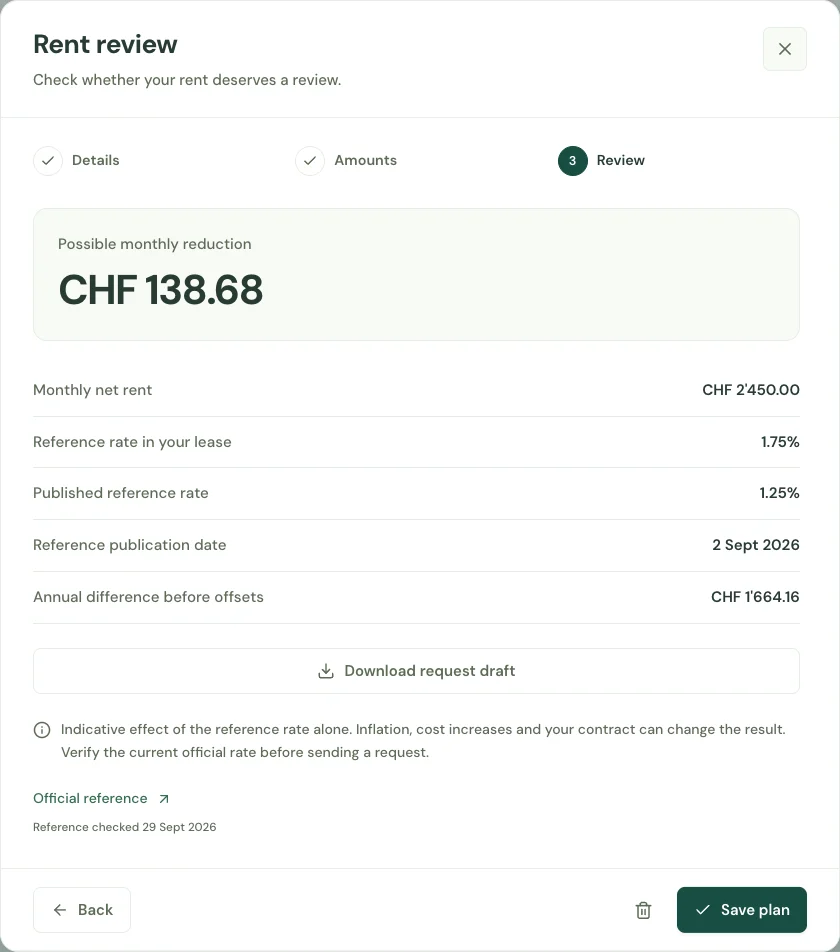
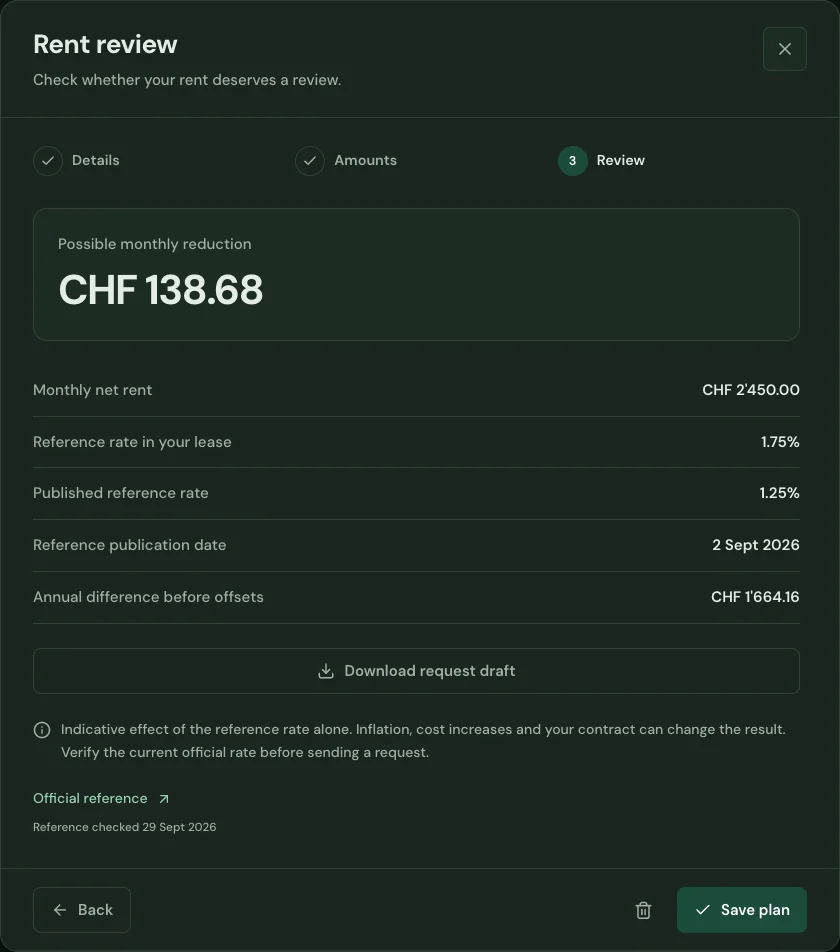
Enter your net rent and the reference interest rate used in your lease. Keep your landlord and address beside the figures.
Compare the lease rate with the rate used in your review. See the estimated effect and the assumptions behind it.
Use the prepared request as a starting point for contacting your landlord. Review the wording and your lease before sending it yourself.
Start with your first account.
See the features with real app screens. Then create your household and add accounts, income and expenses.